

How a designer explored generative art, SVG workflows, multicolor plotting, and different drawing materials with the UUNA TEK ArtStation 1824.
What happens when generative art moves from a computer screen onto physical paper? An independent hands-on test by Inspiration Grid explored exactly that question with the UUNA TEK ArtStation 1824.
The creator, a designer with little previous experience in generative coding, combined ChatGPT, p5.js, SVG files, Inkscape, different pens, and the ArtStation 1824 to create a series of experimental artworks.
Over the course of the test, the workflow developed from simple monochrome line drawings into multicolor compositions, metallic ink experiments, and white-on-black artwork.
From Generative Code to Physical Drawing
The creative workflow started with p5.js. Instead of generating finished artwork in one step, the creator adjusted parameters such as line density, spacing, distortion, movement, and curve points until the desired composition was achieved.
The resulting artwork was exported as SVG and then opened in Inkscape before being sent to the ArtStation 1824.
This created a simple digital-to-physical workflow:
- Create and refine generative artwork.
- Export the design as SVG.
- Open the SVG in Inkscape.
- Send the artwork to the ArtStation 1824.
- Select the appropriate pen and paper.
- Plot the digital design as physical artwork.
The reviewer noted that the machine itself was straightforward to operate once the initial workflow had been established.
First Test: 210 Lines in 7 Minutes
The first major experiment consisted of a flowing field of 210 lines, plotted with a 0.5 mm BIC fineliner on standard printer paper.
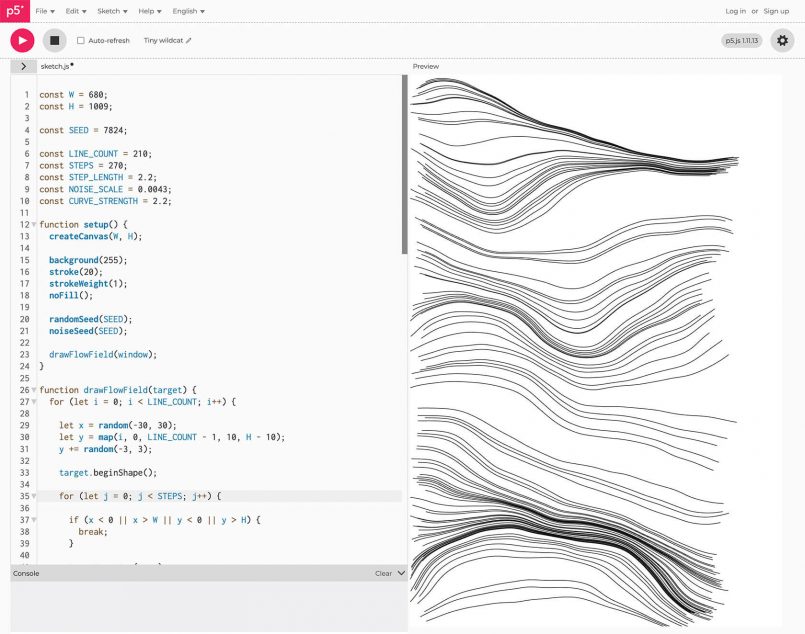
The drawing took approximately 7 minutes and 45 seconds. According to the review, the lines appeared crisp, consistent, and precise.
The experiment also showed how physical plotting differs from digital design. Adding a few sheets underneath the paper helped maintain consistent pen contact and eliminated small gaps that appeared during the first attempt.
Large-Format Generative Art
After the initial tests, the creator moved to more complex compositions using better paper and drawing tools.
One large monochrome design combined mirrored generative ribbons and hundreds of curved lines on 270 gsm Bristol paper. The artwork was plotted with a Pigma Micron 05 and took approximately 30 minutes.
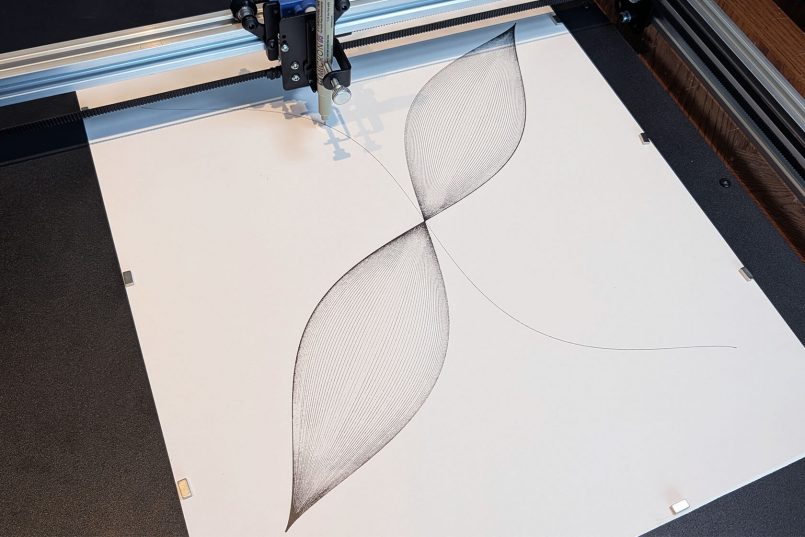
The test also demonstrated that the drawing tool can become part of the final artwork. As the pen began running low on ink, lighter and darker areas appeared across the composition while the underlying geometry remained consistent.
Another experiment revealed the importance of preparing vector artwork specifically for physical plotting. A clipping mask that looked correct digitally did not fully trim the paths during plotting, highlighting the need to check SVG geometry before starting a job.
Multicolor Pen Plotting
One of the most interesting experiments involved three separate colors: blue, purple, and green.
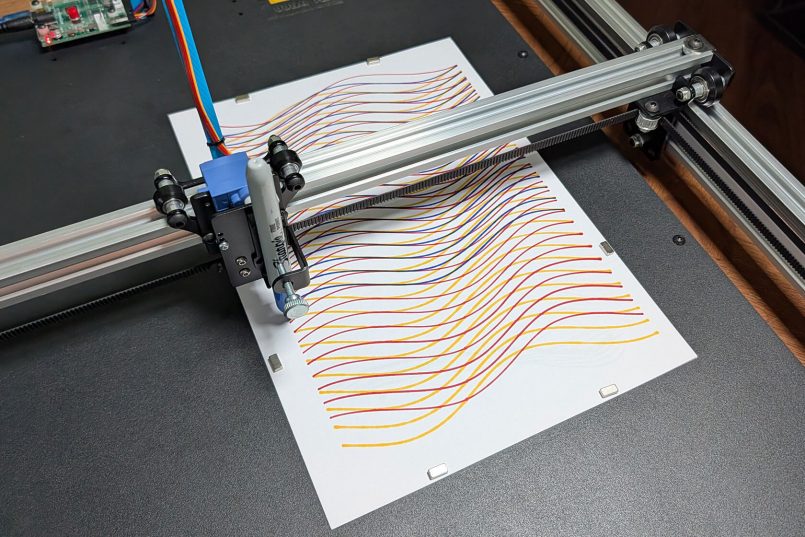
Each color was exported as a separate SVG layer. The paper remained fixed in place while the creator changed pens between plotting passes.
| Layer | Plotting Time |
|---|---|
| Blue | 14 minutes |
| Purple | 13 minutes 20 seconds |
| Green | 14 minutes 25 seconds |
| Total | Just under 42 minutes |
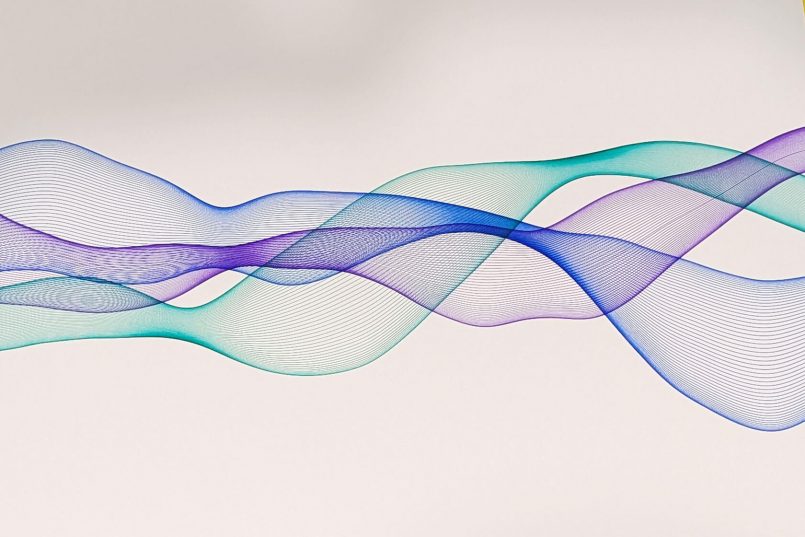
The separate layers remained well aligned, allowing the overlapping lines to create new optical effects and color variations that were less obvious in the digital preview.
The test also highlighted an important practical point for long plotting jobs: the connected computer should remain awake. During one interrupted run, the laptop went to sleep and the plot paused. After keeping the computer awake, the repeated artwork completed without the same positional issue.
Different Pens, Different Results
The ArtStation 1824 was also tested with thicker markers and darker paper.
A white POSCA paint marker was used on textured black stock, creating a strong contrast between opaque white ink and the dark surface.
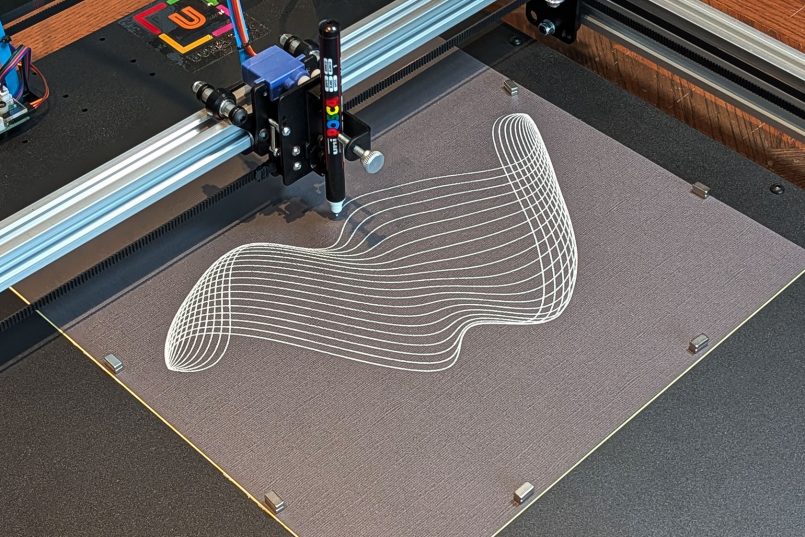
The complete piece took approximately 6 minutes and 20 seconds. Additional experiments combined white POSCA with metallic gold and bronze markers to create layered compositions.
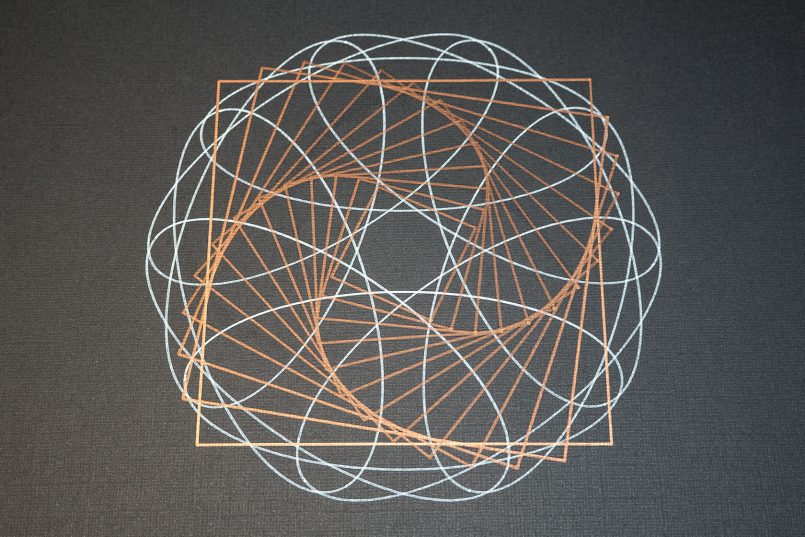
These experiments showed how the same type of digital geometry can produce very different physical results depending on the pen, ink, paper, and plotting order.
What the Case Study Demonstrates
The independent test showed that the ArtStation 1824 can support a wide range of experimental pen-plotting workflows, from simple line studies to large, layered generative compositions.
- Large working area: The 18 × 24-inch working area provides room for large-format artwork.
- SVG workflow: Digital vector artwork can be transferred into a physical plotting workflow through Inkscape.
- Multicolor plotting: Separate SVG layers can be plotted sequentially while keeping the paper fixed.
- Flexible drawing tools: The test included fineliners, Sharpie markers, metallic markers, and POSCA paint markers.
- Creative experimentation: Different papers, inks, line densities, and plotting orders can significantly change the finished result.
Key Takeaway
The UUNA TEK ArtStation 1824 test began as a hardware review but developed into a broader exploration of generative art.
The combination of digital geometry and physical materials created results that could not always be predicted from the screen alone. Ink flow, paper texture, pen condition, overlapping lines, and multiple plotting passes all became part of the creative process.
For artists, designers, and makers interested in turning SVG and generative artwork into large-format physical drawings, this case study demonstrates how a pen plotter can become more than a digital output device—it can become part of the creative process itself.
Read the Original Review
This case study is based on an independent hands-on review published by Inspiration Grid on September 27, 2026. The product was provided by UUNA TEK for testing, according to the original article.
Original article: UUNA TEK ArtStation 1824 Review: Falling Down the Generative Art Rabbit Hole
Read the original review on Inspiration Grid for the complete testing process, additional artwork, and the creator's full observations.